Signotaur Rotate Keys Action
The Signotaur Rotate Keys action rotates an API key on the Signotaur server, generating a new key while providing a configurable overlap period during which both the old and new keys remain valid. This enables seamless key rotation in CI/CD pipelines without downtime.
The Signotaur Rotate Keys action in Continua is a wrapper around the Signotaur client tool command line. If you're having trouble using the Signotaur Rotate Keys action, please refer to the Command Line Reference.
Signotaur Rotate Keys
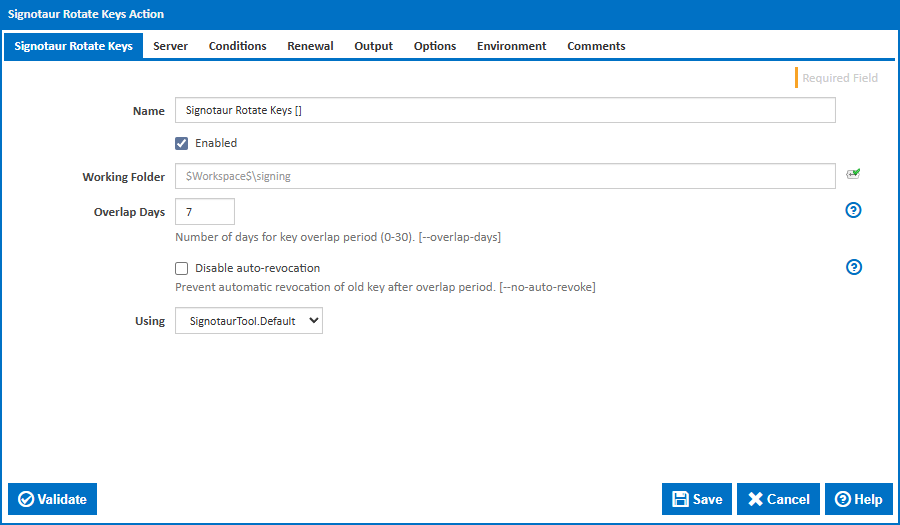
Name
A friendly name for this action (will be displayed in the actions workflow area).
Enabled
Determines if this action will be run within the relevant stage.
Working Folder
The folder where the action will be executed. This can be an absolute path or a path relative to the build workspace.
Overlap Days
The number of days during which both the old and new API keys remain valid. This overlap period allows time to update all systems that use the key before the old key is revoked. Valid values are 0 to 30. The default is 7 days. [--overlap-days]
Disable Auto-Revocation
Prevent the automatic revocation of the old API key after the overlap period expires. When enabled, the old key must be manually revoked. [--no-auto-revoke]
Using
The Using drop down is populated with any property collector whose namespace matches the pattern defined by the Signotaur action. The pattern for this action is ^SignotaurTool(?:\.|$). If you create a property collector for this action, make sure you select the Path Finder PlugIn type and give it a name that will match the pattern above. For more in-depth explanations on property collectors see Property Collectors.
Alternatively, you can select the Custom option from the Using drop down list and specify a path in the resulting input field that will be displayed. Please read Why it's a good idea to use a property collector before using this option.
Server
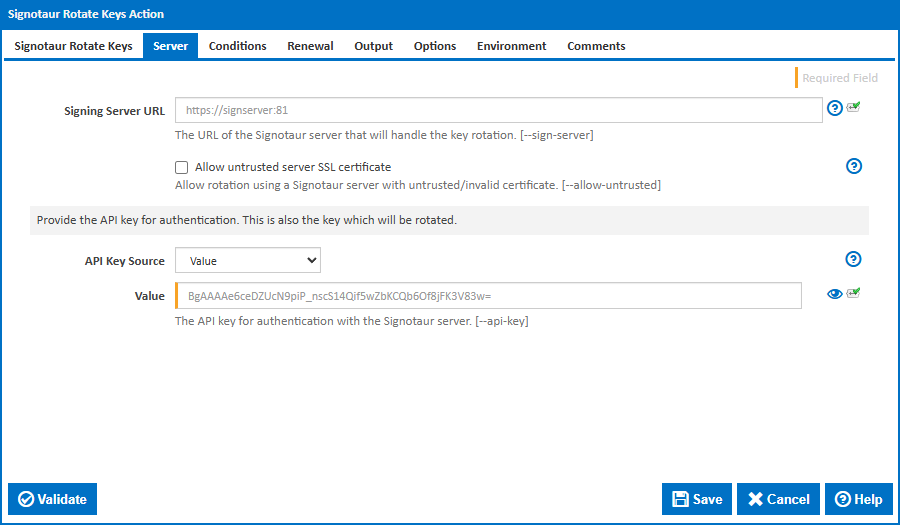
Signing Server URL
The URL of the Signotaur server that will handle the key rotation. This must be a valid HTTPS URL. [--sign-server]
Allow untrusted server SSL certificate
Allows connecting to a Signotaur server that is bound to an untrusted or invalid certificate. Use this option with caution, as it may expose you to security risks. [--allow-untrusted]
API Key
Provide the API key for authentication. This is also the key which will be rotated.
API Key Source
Controls how the current API key is provided to the action. The selected option determines which field is shown below.
Options:
- Value (default) – Enter the API key directly.
- File – Specify a path to a file containing the API key.
- Environment Variable – Read the API key from an environment variable.
Value
The API key for authentication with the Signotaur server. [--api-key]
This field is visible when API Key Source is set to Value.
File
The path to a file containing the current API key. The file should contain the API key as plain text or in dotenv format. [--api-key-file]
This field is visible when API Key Source is set to File.
Environment Variable Name
The name of the environment variable (or dotenv key) containing the current API key. Defaults to SIGNOTAUR_API_KEY. [--api-key-name]
This field is visible when API Key Source is set to File or Environment Variable.
Conditions
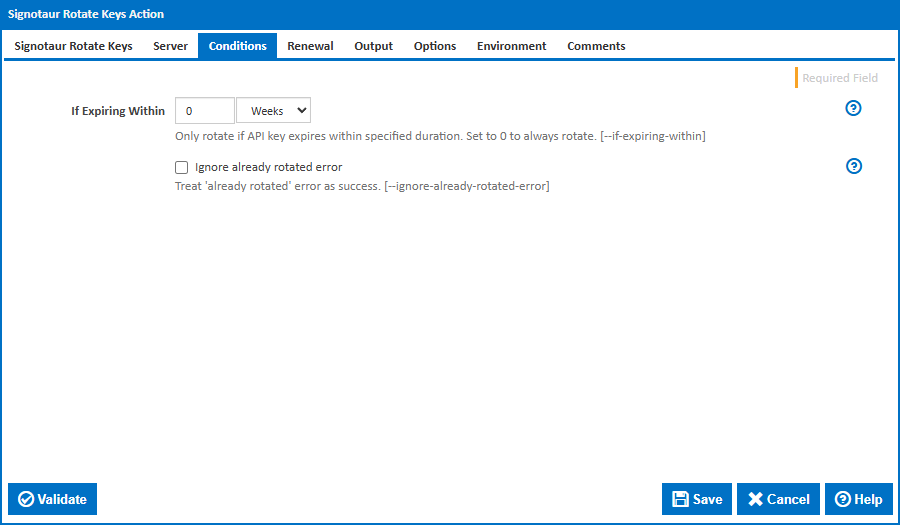
If Expiring Within
Only rotate the API key if it expires within the specified duration. Set to 0 to always rotate. This makes it safe to run key rotation on every build or on a schedule without generating unnecessary keys. [--if-expiring-within]
Ignore Already Rotated Error
When enabled, the action will not fail if the key has already been rotated. This is useful when multiple builds may attempt rotation concurrently. [--ignore-already-rotated-error]
Renewal
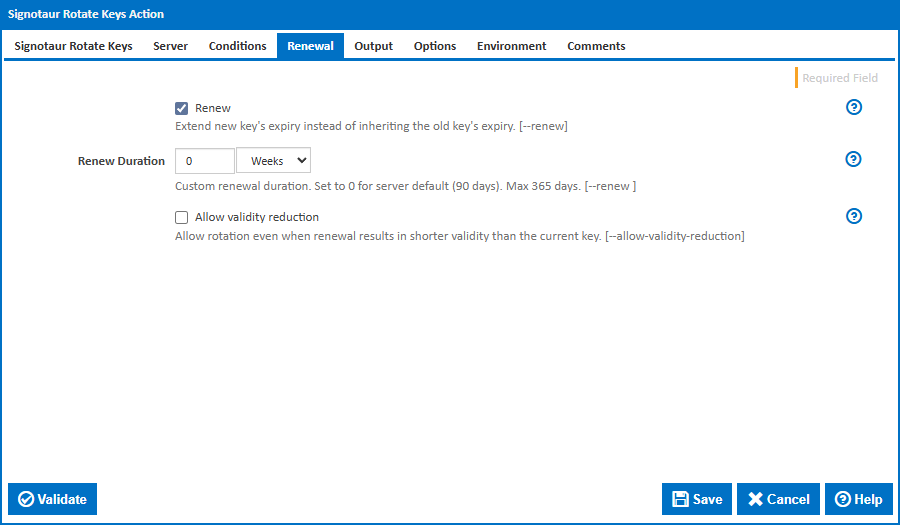
Renew
Enable renewal of the key's expiry during rotation. Without this, the new key inherits the old key's expiry date — rotation alone does not extend the key's lifetime. [--renew]
Renew Duration
Custom renewal duration. Set to 0 for server default (90 days). Maximum: 365 days. [--renew <duration>]
This field is visible when Renew is enabled.
Allow Validity Reduction
Allow rotation even when renewal results in a shorter validity than the current key. Without this, the server rejects the rotation if the new key would expire sooner than the old key. [--allow-validity-reduction]
This field is visible when Renew is enabled.
Output
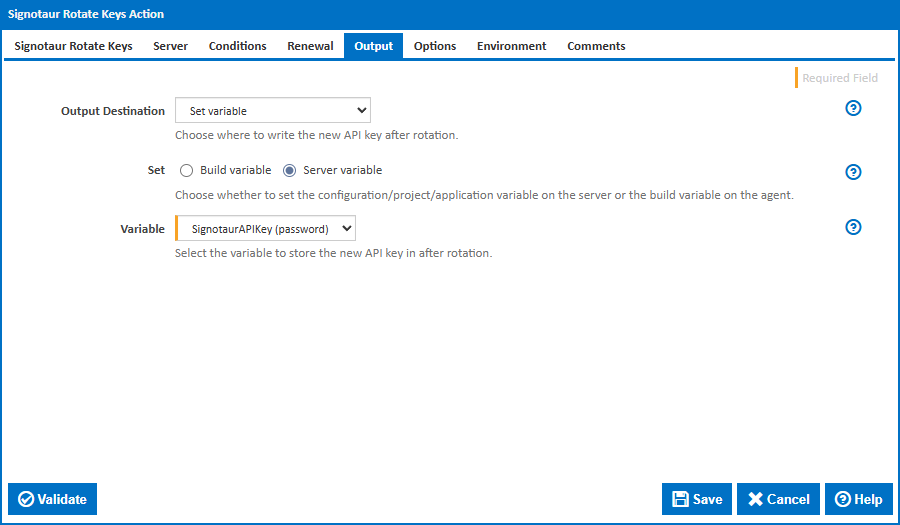
Output Destination
Controls where the newly generated API key is written after a successful rotation.
Options:
- Set Variable (default) – Store the new key in a Continua CI variable.
- Write to Key File – Write the new key to a plain text file.
- Write to Environment File – Write the new key to a dotenv-formatted file.
- Custom Output Template – Use a custom template to emit the new key.
- Log output (not recommended) – Write the new key to the build log only.
Key File
The path to write the new API key as a plain text file. [--write-key-file]
This field is visible when Output Destination is set to Write to Key File.
Environment File
The path to write the new API key in dotenv format (e.g., SIGNOTAUR_API_KEY=<new-key>). [--write-env-file]
This field is visible when Output Destination is set to Write to Environment File.
Environment Variable Name
The variable name to use in the dotenv-formatted output file. Defaults to SIGNOTAUR_API_KEY. [--write-env-var-name]
This field is visible when Output Destination is set to Write to Environment File.
Custom Output Template
A custom template string for emitting the new API key. Use this for integration with systems that require a specific output format. [--emit-secret]
This field is visible when Output Destination is set to Custom Output Template.
Set
Controls the scope of the variable to set.
Options:
- Server variable (default) – Set a server-level variable.
- Build variable – Set a build-level variable.
This field is visible when Output Destination is set to Set Variable.
Variable
The Continua CI variable that will receive the new API key value.
This field is visible when Output Destination is set to Set Variable.
Options
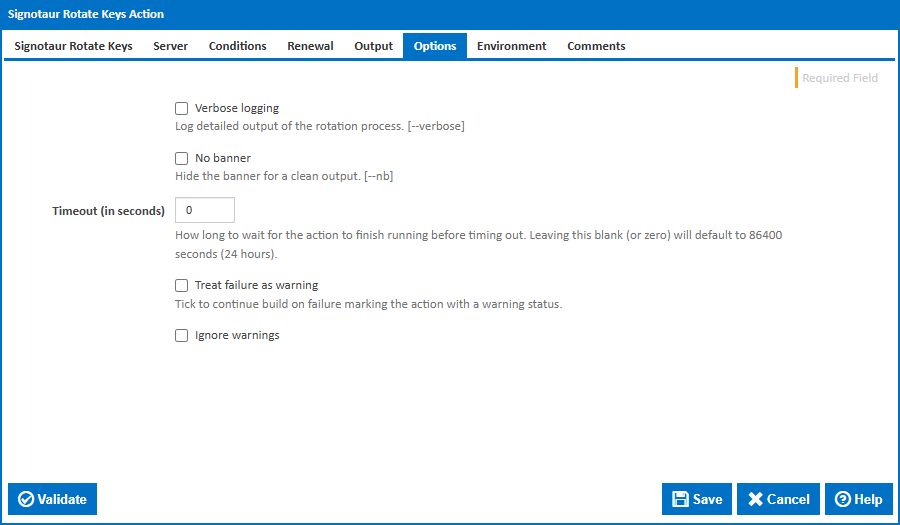
Verbose logging
Log detailed output of the rotation process. [--verbose]
No banner
Hide the initial banner for a cleaner build log. [--nb]
Timeout (in seconds)
How long to wait for the action to finish running before timing out. Leaving this blank (or zero) will default to 86400 seconds (24 hours).
Treat failure as warning
Tick to continue the build on failure, marking the action with a warning status.
Ignore warnings
If this is ticked, any warnings logged will not mark the action with a warning status.
Environment
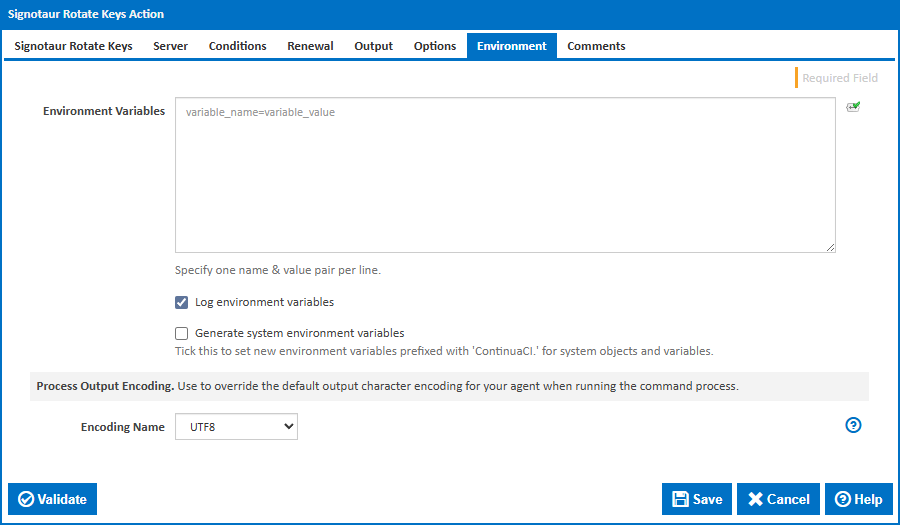
Environment Variables
Multiple environment variables can be defined - one per line. These are set before the command line is run.
Log environment variables
If this is ticked, environment variable values are written to the build log.
Generate system environment variables
Tick this checkbox to set up a list of new environment variables prefixed with 'ContinuaCI.' for all current system expression objects and variables.
Mask sensitive variable values in system environment variables
This checkbox is visible only if the 'Generate system environment variables' checkbox is ticked.
If this is ticked, the values of any variables marked as sensitive will be masked with **** when setting system environment variables. Clear this to expose the values.