Code Signing Certificate
The Code Signing Cert sub-tab of the Internal CA tab sets the defaults used when the Internal CA issues a code-signing certificate.
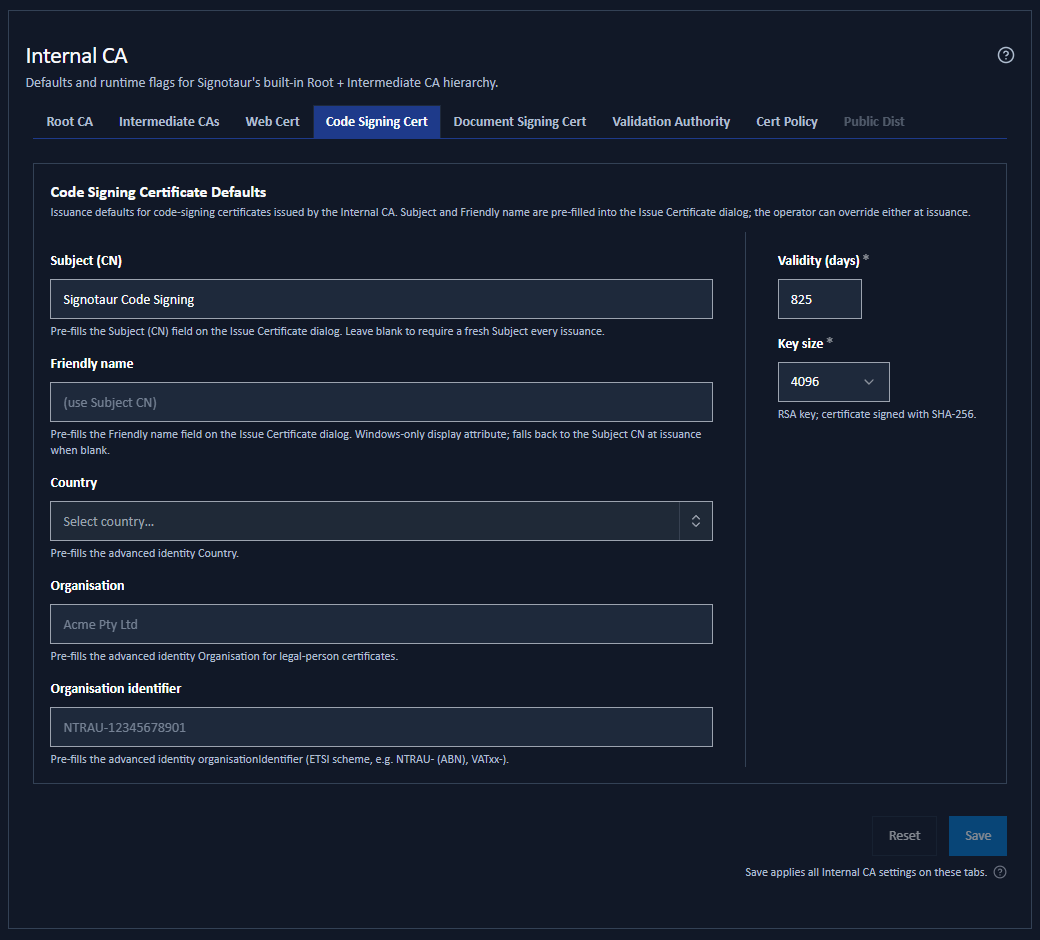
Each code-signing certificate is issued for a specific named purpose, so the subject and friendly name here only pre-fill the Issue from Internal CA dialog. The operator can override any of them at issuance.
Changing a value here never alters a certificate that already exists.
Settings
| Field | Default | Notes |
|---|---|---|
| Subject (CN) | Blank | Pre-fills the Subject field on the Issue dialog. Leave blank to require a subject to be typed each time. |
| Friendly name | Blank | Pre-fills the Friendly name field. A Windows-only display attribute; falls back to the subject when blank. |
| Country | Blank | Optional identity default, a two-letter ISO code. |
| Organisation | Blank | Optional identity default. |
| Organisation identifier | Blank | Optional identity default, in an ETSI scheme such as VATGB-123456789. |
| Validity (days) | 825 | Maximum 1185. |
| Key size | 4096 | The RSA key size: 2048, 3072 or 4096 bits. |
Identity Defaults
Country, Organisation and Organisation identifier pre-fill the Advanced identity tab of the Issue dialog, so an operator issuing a legal-person certificate does not retype the organisation details every time.
They are optional. Leave them blank and the Issue dialog's identity tab starts empty, producing a simple common-name-only certificate unless the operator fills it in.
Setting any of them causes the Issue dialog to default its identity type to Legal person / organisation, since that is what those fields describe. The operator can still switch to a natural person or clear the values.
The Organisation identifier format is checked against the ETSI scheme shape and shows an advisory note if it does not match, but it never blocks issuance. See Issuing a Certificate.
What the Certificate Carries
A code-signing certificate issued by the Internal CA carries the Code Signing extended key usage (1.3.6.1.5.5.7.3.3) and the digitalSignature key usage.
If the Validation Authority is set to include validation addresses in new certificates, it is also stamped with AIA/CDP revocation pointers. If a certificate policy is enabled for code signing, it carries that too.
Saving
These are saved settings. Change them and click Save at the foot of the tab.