Web Certificate
The Web Certificate page in the Admin section manages the HTTPS (TLS) certificate that the Signotaur web server presents to browsers and to the SignotaurTool client. From this page an administrator can review the active certificate, see its CA chain, distribute the trust anchor (the Root CA certificate), change how the certificate is sourced, and adjust TLS validation options.
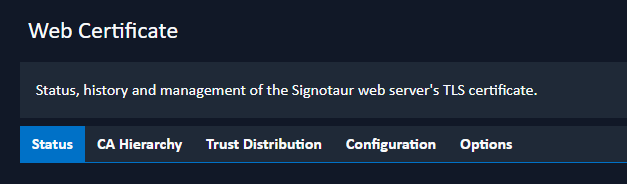
Page Layout
The page is organised into tabs:
- Status: the active certificate's details, the renew action, and the trust-anchor download.
- CA Hierarchy: a read-only view of the certificate's CA chain. (Shown only when a certificate is active.)
- Trust Distribution: how to install the Root CA certificate on client machines. (Shown only when the chain anchor is not already trusted.)
- Configuration: how the certificate is sourced (PFX file, Windows store, self-signed, or managed CA).
- Options: TLS certificate-validation settings.
Restart-Pending Notice
A certificate configuration change is written to disk but is read by the web server only at startup. After a configuration change is applied, the page shows a restart-pending notice; the Status, CA Hierarchy, and Trust Distribution tabs continue to show the currently active certificate until the Signotaur service is restarted. Automatic renewal of a managed certificate, by contrast, takes effect immediately without a restart.